You are using an unsupported browser. Please update your browser to the latest version on or before July 31, 2020.
You are viewing the article in preview mode. It is not live at the moment.
Home > IT FAQ > MFA (Multi-Factor Authentication) > How to Disable Phone Sign-in?
How to Disable Phone Sign-in?
print icon
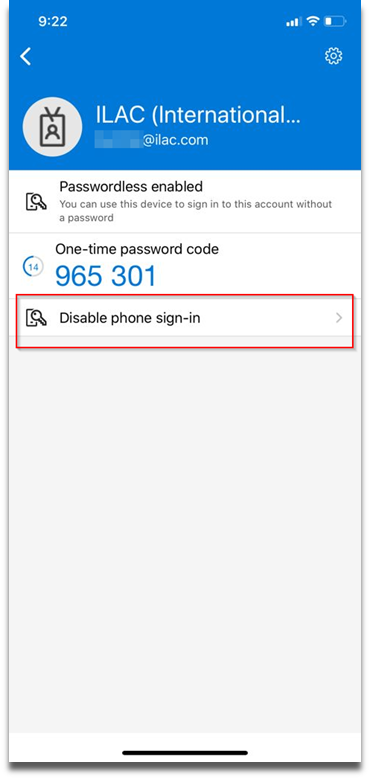
  1.  Open Microsoft Authenticator App


   2.  Click on Disable phone sign-in


Feedback
0 out of 0 found this helpful

scroll to top icon